
Apply Your Promo Code & Enjoy Instant Savings!
Get the most out of your booking with an exclusive discount — just follow these simple steps to apply your promo code before confirming your appointment.

steps to redeem promo code on the Flabee Care Web Browser
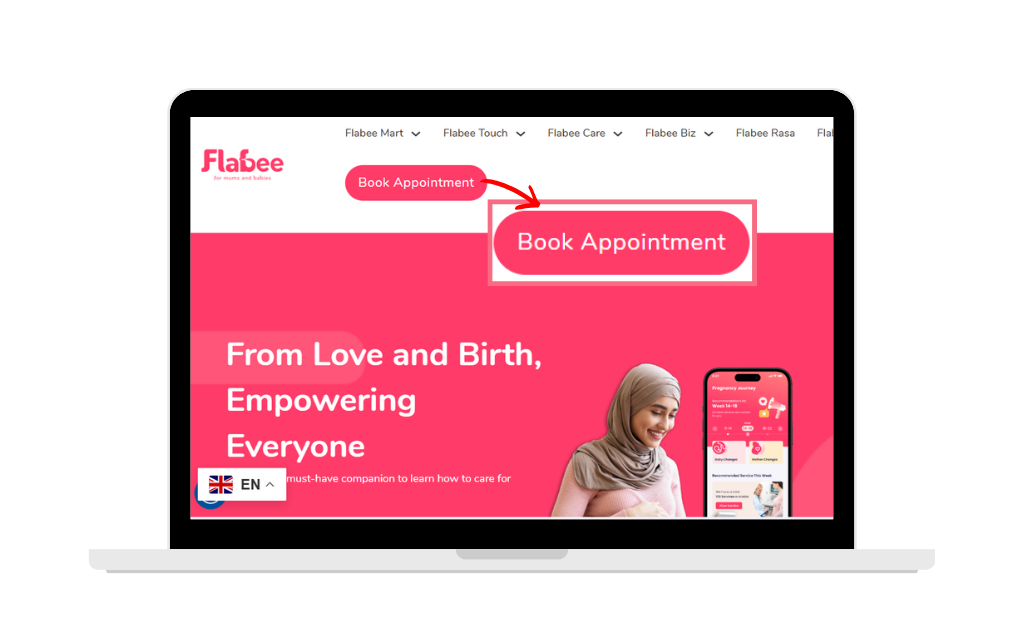
Open the Flabee Care web browser
- Click “Book Appointment
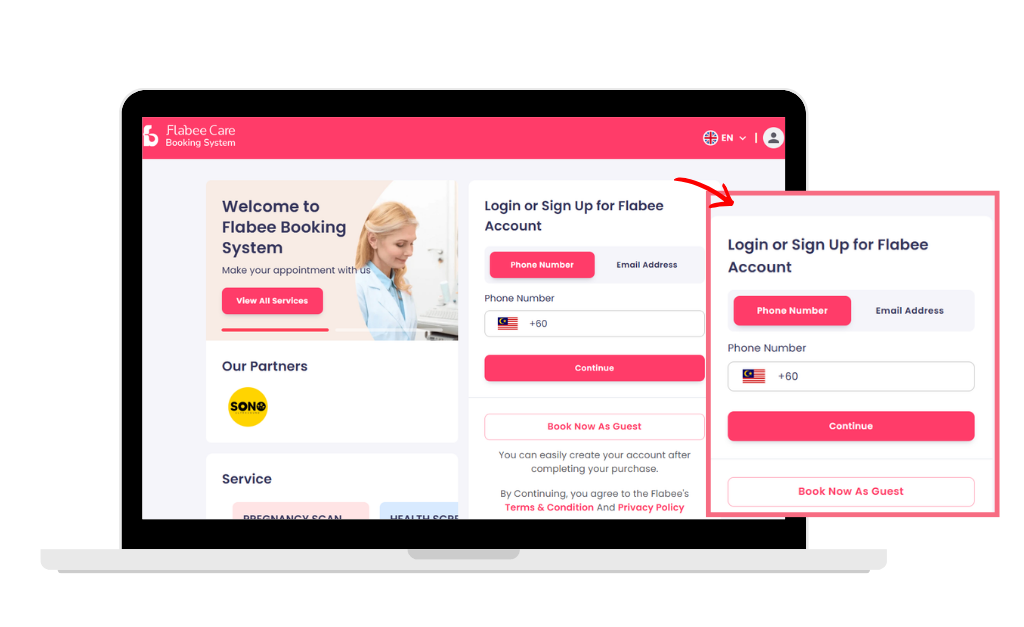
Log in to your account
- Click Login and enter your email and password.
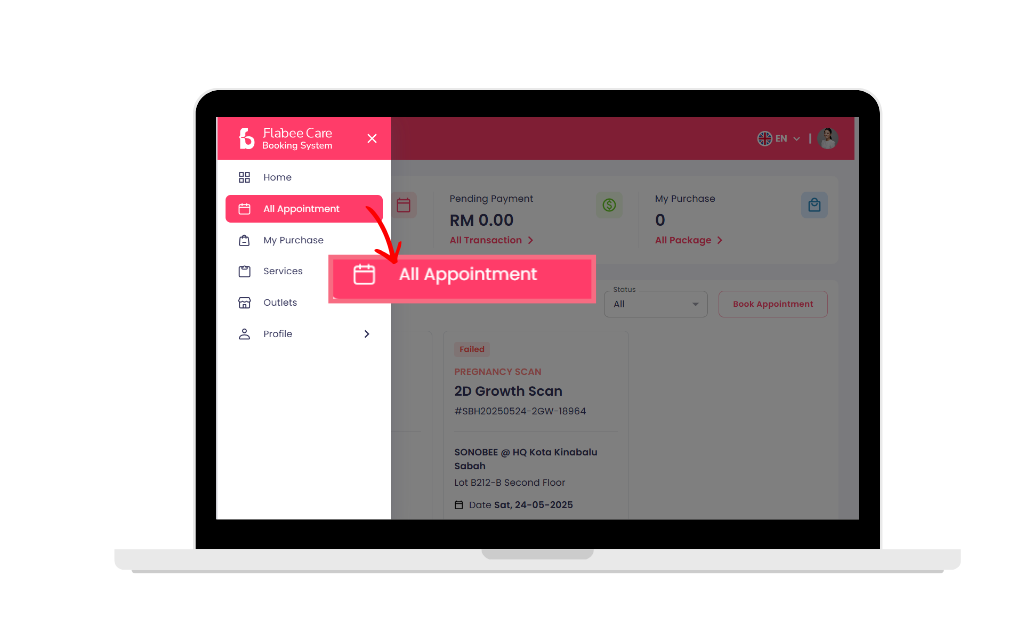
Go to “All Appointment”
- On the left sidebar, “click All Appointment”.
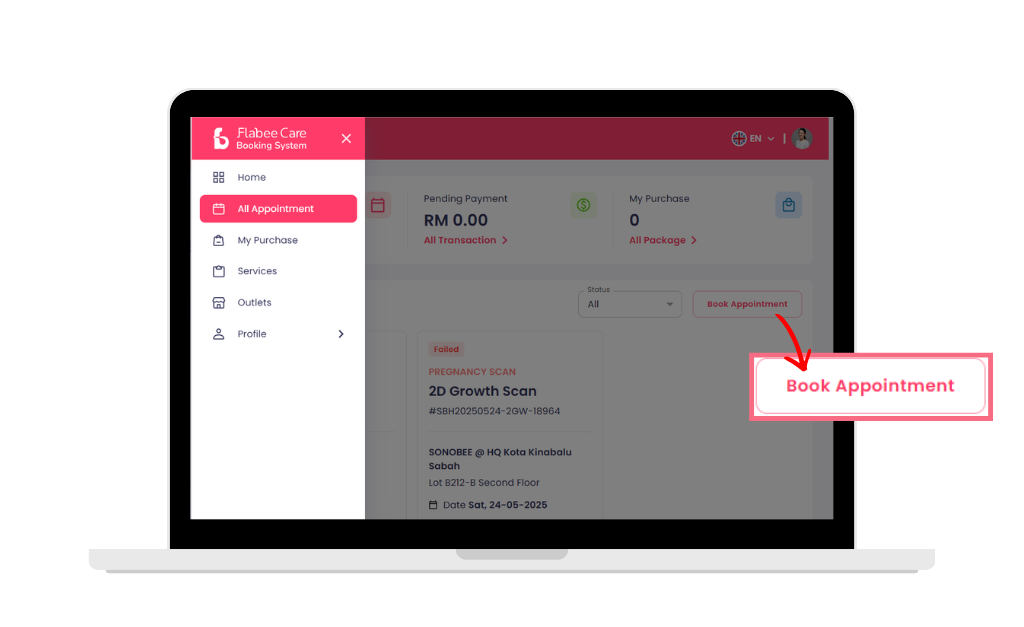
Click "Book Appointment"
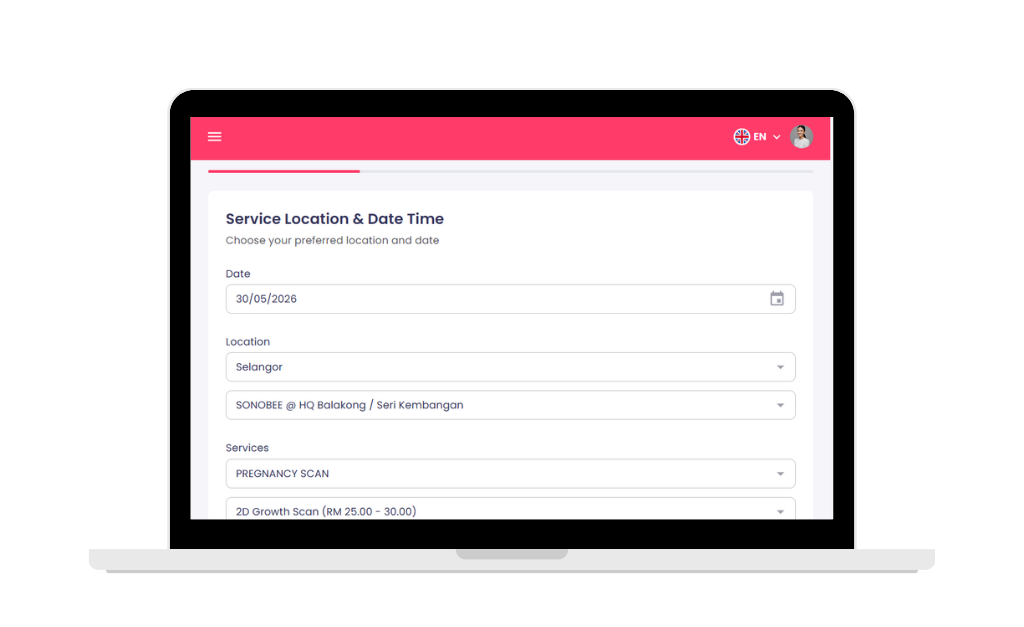
- Choose your preferred Sonobee branch, select the service type, pick your date and time.
- Tap Search to see available slots from the selected branch.
Choose your slot
- Choose your preferred Sonobee branch, select the service type, pick your date and time.
- Tap Search to see available slots from the selected branch.
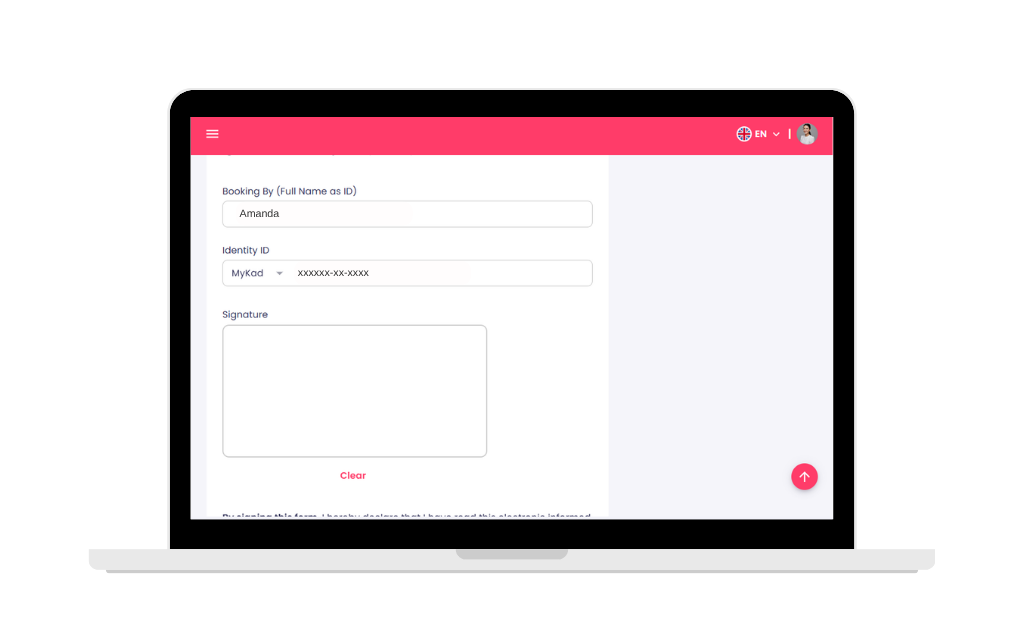
Enter Your Details
- Fill in your Full Name and Identification Number, then tap Continue.
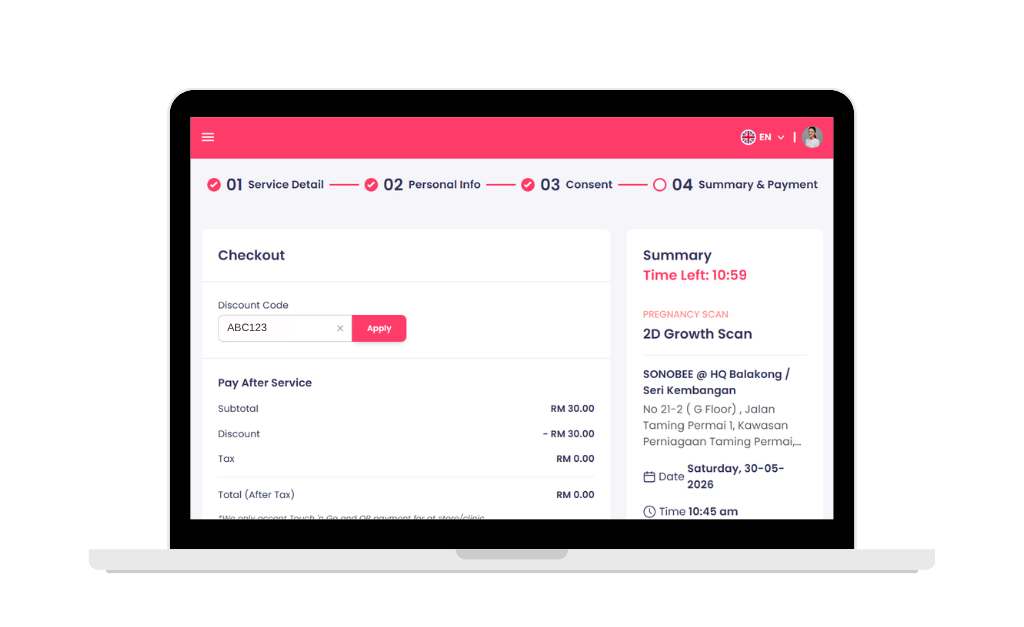
Apply Promo Code
- Click Use Voucher, then enter your promo code.
- Your discount will appear when you click “Apply” before you confirm your booking.
steps to redeem promo code on the Flabee Care App
Open the Flabee Care mobile app
- Scroll to “Appointment” from the main menu.
- Tap “View”

Tap "Book Appointment"
- Choose your preferred Sonobee branch, select the service type, pick your date and time.
- Tap Search to see available slots from the selected branch.

Enter Your Details
Fill in your Full Name and Identification Number, then tap Continue.

Apply Promo Code
- Tap Use Voucher, then enter your promo code.
- Your discount will appear when you tap “Apply” before you confirm your booking.
